 Seller OS
Safe file handling for new Fiverr gigs
A new gig brings a new habit you did not plan for: opening files from strangers several times a day. Briefs, datasets, brand folders, and reference material land in your inbox before any trust exists between you and the sender, and each one asks your machine to run something.
This guide sets a safe-handling standard for that daily reality: macros off by default, cloud preview before download, isolation for files you cannot verify, and clean separation of work and personal data. It is general cybersecurity practice for freelancers, not Fiverr policy and not a product recommendation.
Free plan available. Local-first data. Human review on every change.
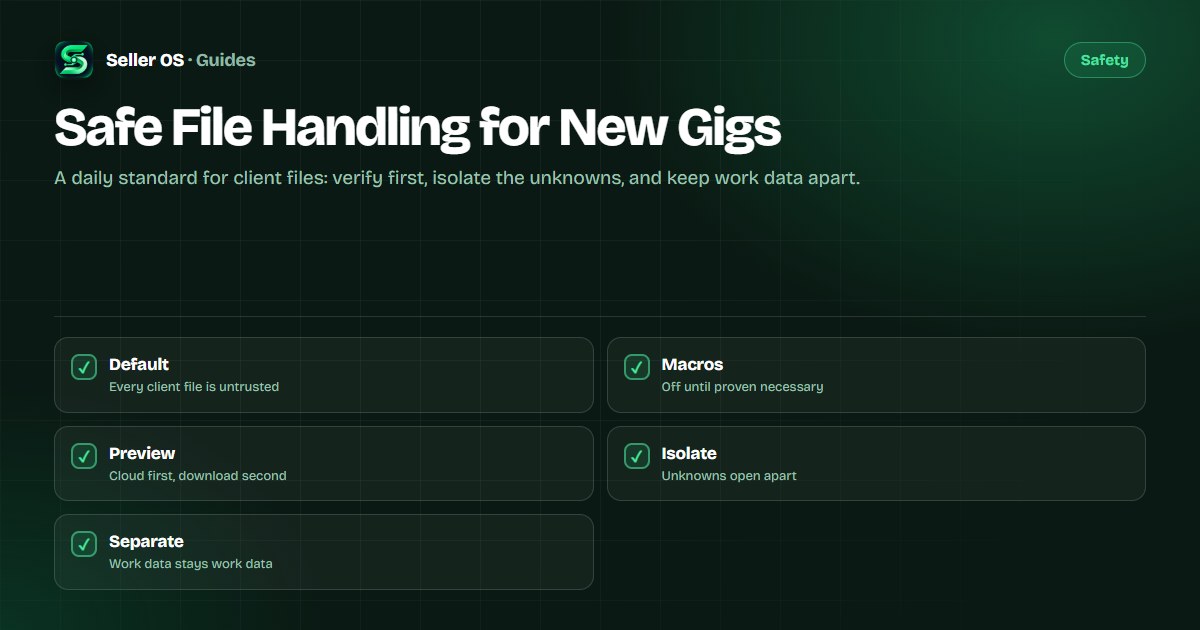
Treat every client file as untrusted
The standard starts with a single default: a client file is untrusted until it has been checked, no matter how polite the buyer or how urgent the order. This is not suspicion of any person; it is the same posture email providers and browsers already take toward attachments.
New sellers need the default most. You handle unfamiliar formats for the first time, you work fast to earn early reviews, and your machine already holds the credentials your whole business runs on. A fixed routine protects you exactly when speed tempts you to skip the check. The scanning guide covers the per-file routine; this page builds the system around it.
Keep macros off by default
Macros are scripts embedded in office documents, and they are the most common way a normal-looking brief turns hostile. The safe posture is to keep macro execution disabled in your office software and to open every buyer document that way first.
When a file asks you to enable content, treat the request itself as the warning. Ask the buyer what the macros do and request a macro-free version with the same content. Real briefs, datasets, and copy decks survive that conversion without loss.
- Disable macro execution in your office suite settings before the first client file arrives.
- Open buyer documents with macros off, and decline every enable-content prompt on them.
- Ask for values instead of formulas where the work allows: CSV over scripted sheets, PDF over macro templates.
- Log any file that insists on macros, and handle it under the isolation rules below.
Preview in the cloud before you download
Downloading is the moment a file moves from the sender's space to yours, so put a preview step in front of it. Cloud and browser previews render documents, sheets, images, and PDFs without executing local code, which answers the only question that matters at this stage: is this the content the buyer described.
Make the request easy for buyers by naming the format you want. Ask for text as PDF or plain text, data as CSV, and images as standard image files alongside any originals. Most buyers comply without friction, and each simpler format removes a place where hostile content can hide.
Isolate files you cannot verify
Some files cannot be cleared by preview alone: an installer a gig genuinely needs, a complex template, or anything from a sender whose behavior already raised flags. Those files open apart from your main environment, not inside it.
Consider the isolation options your setup allows: a separate operating-system user account for client work, a sandboxed or virtual environment for the truly unknown, and at minimum a single dedicated work folder that never mixes with personal documents. The suspicious-file guide is the fallback if isolation came too late.
| Situation | Handling |
|---|---|
| Expected format, known buyer | Preview, scan, then open normally |
| Office file asking for macros | Macros off, request a macro-free copy |
| Unknown executable or script | Isolated environment only, or refuse it |
| Archive you did not request | Ask for a contents list before extracting |
| File from a suspicious sender | Report the message, do not open at all |
Separate work data from personal data
The last layer limits what any single bad file can reach. Keep client work in its own folder tree, keep personal documents, photos, and financial files outside it, and avoid storing personal credentials in the browser profile you use for buyer links. Back up finished work regularly so a worst case costs you hours, not the business.
Review the separation quarterly: remove software and extensions you no longer use, confirm backups restore, and check which apps can reach your work folder. If a message ever carries something clearly malicious, report it through the categories Fiverr provides, as described in the Help Center.
Where Seller OS helps
Seller OS is built to respect the separation this guide recommends. Its drafts, client notes, and order history live in Chrome local storage on your machine, it never opens or executes buyer files, and it never sends anything to Fiverr on its own.
A person reviews every draft and completes every action, so the extension fits inside a careful file routine instead of punching holes in it.
Safe File Handling for New Gigs questions
How should a new Fiverr seller handle client files safely?
Treat each file as untrusted until checked: preview it in the cloud, verify the true file type, scan it with an updated tool, and open documents with macros disabled. Keep downloads in one quarantine folder, isolate anything you cannot verify, and store client work apart from personal data. The routine matters more than any single tool.
Should I disable macros for all buyer documents?
Yes, keep macro execution disabled by default and open every buyer document that way. Never choose enable content on a file a buyer sent you. If the work seems to require macros, ask what they do and request a macro-free version first. Briefs, datasets, and copy decks almost always survive that conversion intact.
What is the safest way to open an unknown file?
Preview it without downloading first, using a cloud or browser preview that renders content without running local code. If preview cannot clear it, open it apart from your main environment, for example in a separate user account or an isolated virtual setup. If the sender already looks suspicious, report the message instead of opening the file at all.
How do I keep client work separate from personal files?
Keep a dedicated folder tree for client work, store personal documents and financial files outside it, and avoid saving personal credentials in the browser profile used for buyer links. Back up finished work regularly and review the setup quarterly. Separation limits what any single malicious file can reach.
Set the standard before the rush.
Macros off, preview first, unknowns apart, and work data kept separate from personal life.