 Seller OS
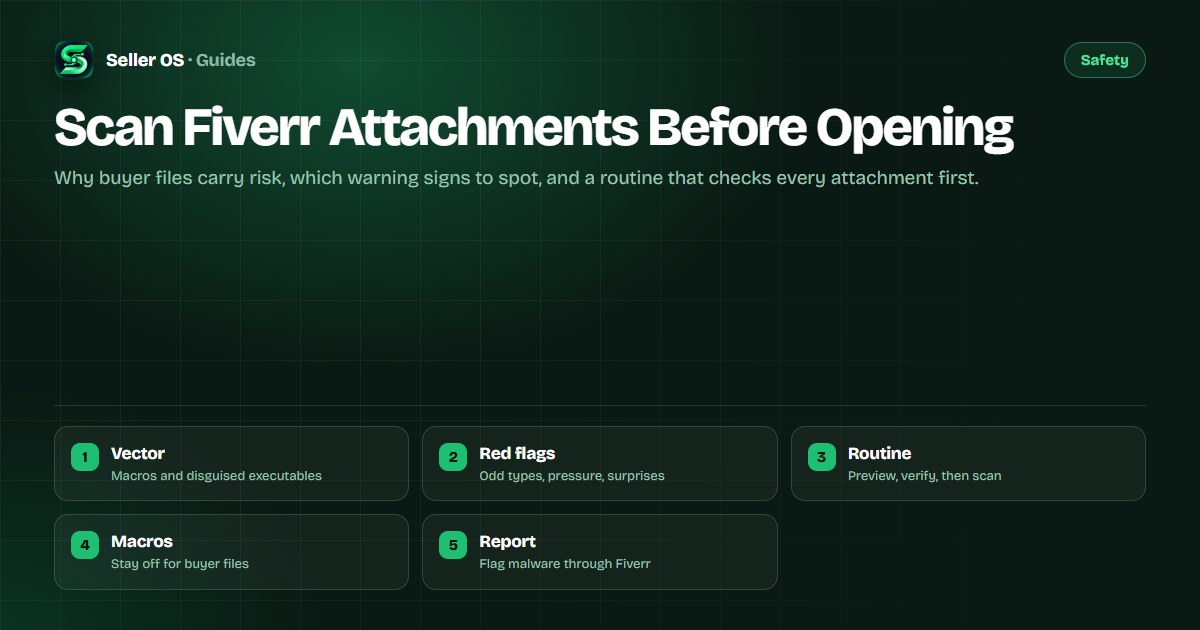
Scan Fiverr attachments before opening them
Every Fiverr order arrives with files attached: briefs, brand assets, spreadsheets, source material. Most are exactly what they claim to be, but attachments are also one of the most reliable malware vectors on the internet, and a seller who opens dozens of client files a week is exposed more than most.
This guide explains why attachments carry risk, which red flags to spot before you click, and a scan-before-you-open routine for every file. The guidance is general cybersecurity practice, not Fiverr policy, and the reporting step is attributed to the Fiverr Help Center.
Free plan available. Local-first data. Human review on every change.
Why attachments are a reliable malware vector
Malicious files rarely look malicious. The common carriers are document macros that run code when enabled, executables hiding behind double extensions such as a name ending in .pdf.exe, programs packed inside archives, and shortcut files that point somewhere other than the promised document.
Sellers are attractive targets for exactly this reason. You expect files from strangers, you open them under deadline pressure, and your machine holds client work, credentials, and payment access at once. A routine removes the decision from the stressful moment: every attachment gets checked the same way, no matter who sent it or how urgent the order feels.
Red flags to spot before you click
Most bad files announce themselves if you slow down for ten seconds. Read the message and the file row together before your finger moves, and treat any one of these signs as a reason to pause.
- A file type that makes no sense for the gig, such as a script or executable for a writing order.
- An archive you did not ask for, especially one that arrives with a password supplied unprompted.
- A shortcut, installer, or file far smaller or larger than its claimed contents should be.
- Pressure to open it now, disable protection, or enable macros to view the contents.
- A download link instead of an attachment, pointing somewhere the order never mentioned.
A scan-before-you-open routine
Run every attachment through the same short sequence. It takes under a minute once it becomes habit, and it catches the large majority of bad files before they execute.
Read the extension
show file extensions in your system, and confirm the true type matches what the name claims.
Preview without downloading
use a cloud or browser preview first so the file renders without running on your machine.
Save to one quarantine folder
keep untrusted downloads in a single folder you scan, never scattered across the desktop.
Scan with an updated tool
run your system's built-in scanner or a reputable antivirus tool over the file before opening.
Keep macros disabled
open documents with macros off, and never choose enable content on a buyer file.
Confirm with the buyer
if anything still looks off, ask for the content in a plain format before proceeding.
Preview habits that cost you nothing
The cheapest protection is never letting a stranger's file run on your machine until you know what it is. These habits layer on top of the scanning routine and cover the cases a scanner can miss.
Ask for content in its simplest form wherever the work allows: text as plain text or PDF, data as CSV, images as standard image files. Each conversion strips away a hiding place. When a buyer can only supply an office document, preview it in the cloud and keep macros off throughout.
| Situation | Safer move |
|---|---|
| Brief in Word with macros | Cloud preview, macros off, ask for PDF |
| Data in a spreadsheet | Ask for CSV export alongside the original |
| Unexpected archive | Ask what is inside before extracting anything |
| Link instead of a file | Ask for the file as an order attachment |
| Password-locked file | Ask why it is locked before entering anything |
Report it and protect your deadline
A file that is clearly malicious is also a message worth reporting. Fiverr treats malware and spam as report categories for inbox messages, so use the report option on the message as described in the Help Center rather than simply ignoring it.
Then protect the order itself. Tell the buyer which format you need instead, and if the delay threatens delivery, request an extension through the order tools before the timer runs out. If you already opened something suspicious, switch to the incident-response guide instead of continuing here.
Where Seller OS helps
Seller OS stays out of your attachments entirely. It never opens, previews, or executes buyer files, and its drafts, client notes, and order history live in Chrome local storage on your machine rather than in some synced workspace a bad file could reach.
Where it helps is the communication around a suspicious file: drafting the request to send it again or the extension request for your review, while a person completes every message and every action on Fiverr.

Scan Fiverr Attachments Before Opening questions
Can a Fiverr attachment contain a virus?
Yes. Attachments are a standard malware vector everywhere, and Fiverr orders are no exception: document macros, disguised executables, and malicious archives can all arrive as ordinary-looking client files. That is why every attachment deserves the same routine of preview, verification, and scanning before it is opened, regardless of how trustworthy the buyer seems.
Should I enable macros to read a buyer document?
No. Keep macros disabled when opening any buyer file, and never choose enable content to view its contents. If the document genuinely needs macros for your work, ask the buyer what the macros do and request a macro-free version first. A legitimate buyer with a real brief can almost always supply the content another way.
What file types should make me pause?
Executables, scripts, shortcuts, and installers deserve immediate suspicion, especially when the gig has no reason to involve them. Treat unexpected archives, password-locked files you did not request, and double extensions such as a name ending in .pdf.exe the same way. Pause, preview without downloading, and ask the buyer for a plain format.
How do I report a malicious file on Fiverr?
Use the report option on the message that carried the file, choosing the spam or malware category Fiverr provides, as described in the Help Center. Then message the buyer in the order requesting a clean format, and request an extension if the delay threatens delivery. Keep the whole exchange on the platform so the record is complete.
Make every attachment earn its click.
Preview, verify, and scan each file first, and keep macros off for every buyer document.