 Seller OS
Fiverr gig denied: how to fix and resubmit
A denied gig is a review outcome with a reason attached. Fiverr shows a short reason and a full reason in the Denied Gigs section of the gig management page, and that text is the specification for the fix. It tells you whether this is an editing job or a boundary the listing crossed.
This guide reads that reason against the most common triggers, then walks a disciplined edit-and-resubmit loop and the point where one support question is the better move. It makes no promises about the outcome, because Fiverr publishes no approval guarantee.
Free plan available. Local-first data. Human review on every change.
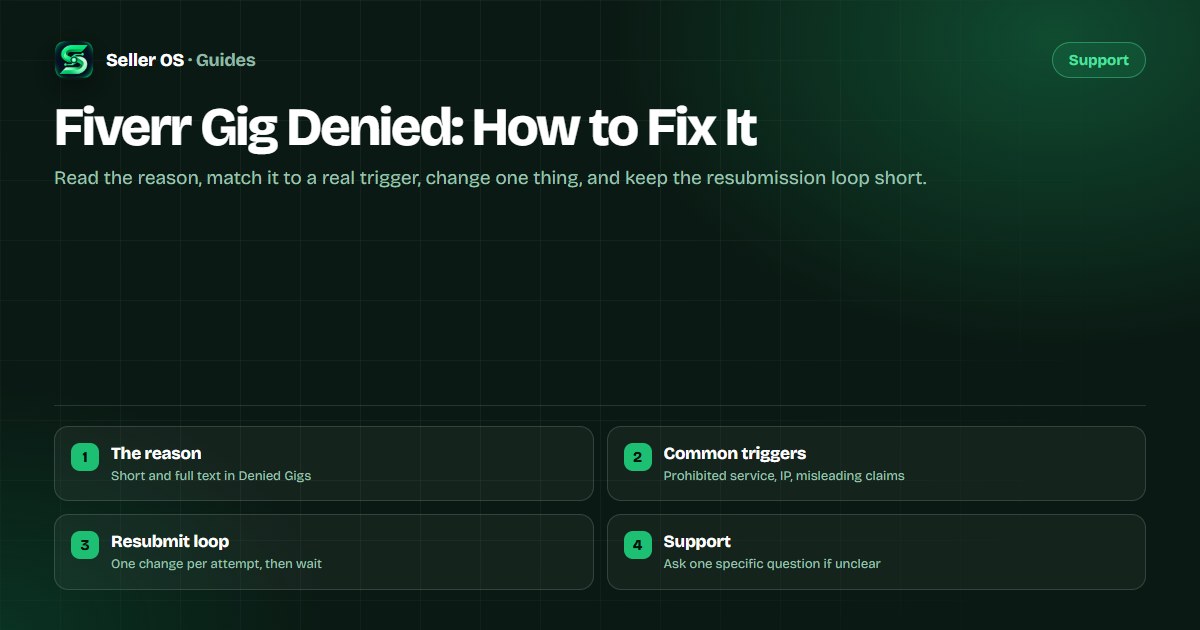
Start with the reason text, not the gig
Fiverr's Managing your Gigs page describes Denied as a gig that was not approved, and points you to the reason on the gig management page. A short reason sits with the alert; a fuller reason sits in the Denied Gigs section. Read both before you touch the listing.
The reason decides the category of fix. Some reasons name a listing detail you can correct, such as a missing image or a title that breaks the formatting rules. Others name the service itself, and no rewrite repairs that. This page focuses on the second group, which is why the denied gig basics page is still worth reading first.
- A field or asset fix: correct the exact element the reason names.
- A category mismatch: rebuild the gig around the service it actually sells.
- A prohibited service: reconsider the offer, not the wording.
- An unexplained reason: ask support one specific question.
Common trigger: a service Fiverr does not allow
The heaviest denial reason is a service that falls outside Fiverr's allowed categories. The Gig Policies page sets the categories and the disallowed work, and it is the source to check before rebuilding. If the offer itself is the problem, a clearer description only delays the same outcome.
Read the cited policy rather than guessing. When a service is restricted, the safe move is to sell the part of the work that is allowed and drop the rest, or to choose a different service. Do not split one prohibited offer across several gigs to keep it; that is its own problem, and the TOS violations page covers what new sellers trigger.
Common trigger: intellectual property in the listing
A denial can come from what is inside the gig rather than what it sells. Gallery images, fonts, music, mockups, and portfolio samples you do not own or license are a frequent source of trouble, and the reason may use words like copyright, trademark, or unauthorized use.
General best practice is to use only assets you created or can license, and to keep the paperwork. If the reason points at an asset, replace it with work you own in the next version and keep the source file. A denial over an image is the most fixable kind, because swapping the asset is a real change rather than a wording pass.
Common trigger: claims you cannot support
Misleading or unsupported promises draw denials too. Guaranteed rankings, guaranteed sales, guaranteed approval, or outcomes no one controls read as claims Fiverr will not host. The fix is subtraction: describe what you deliver and when, and cut the outcome promises entirely.
Write the promise as a deliverable. Instead of a result, name the file, the format, the revision count, and the delivery window. That is both more honest and easier to keep, and it survives review. Fiverr publishes its advertising and content rules on its Help Center, so check those pages before you promise an outcome.
The edit-and-resubmit loop
Treat the loop as a controlled experiment. Change the one thing the reason named, keep everything else stable, and resubmit. Stacking five edits at once hides which change mattered and makes the next review harder to read.
Fiverr publishes no resubmission limit and no review turnaround, so the useful discipline is one clear change per attempt and patience between them. Save a copy of the listing before you edit, so you can compare versions and show your evidence later if a question drags on.
Fix the reason
change only the field, asset, or claim the reason names.
Recheck the basics
at least one image, English description, one service type, clean title characters.
Resubmit once
a single corrected version, not a bundle of guesses.
Track the status
watch the gig management page instead of opening new tickets.
Save the trail
keep the reason text, the date, and your before-and-after copy.
When to ask support instead
Fix and resubmit is the right path when the reason describes an edit. Ask support when the reason is genuinely unclear, or when you believe the service is allowed and the decision misread the policy. Ask one specific question, from your registered email, and keep it factual.
Fiverr handles an appeal of a decision as a complaint with Customer Support, and its enforcement pages describe that route. Send it once, then wait; repeated tickets split your own paper trail rather than speeding anything up. The support ticket discipline page explains why one clean thread helps.
Where Seller OS helps
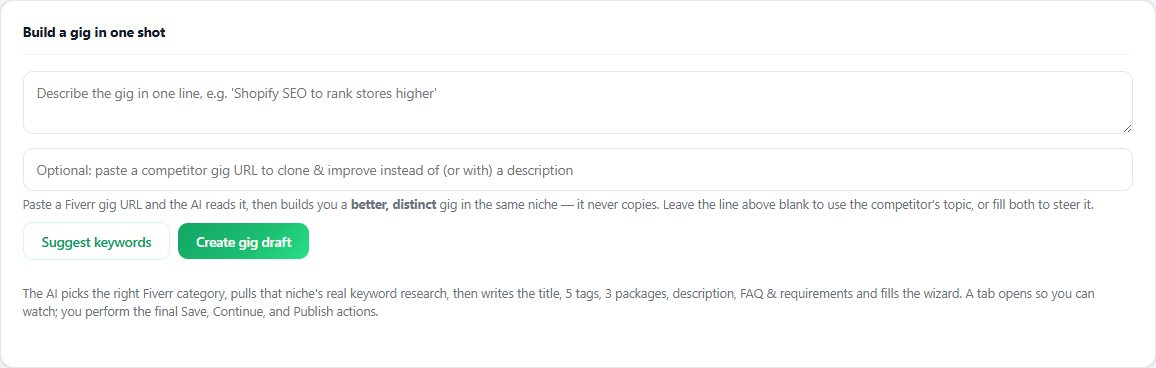
Seller OS helps on the constructive side of a denial. The Gig Builder turns a one-line idea or a competitor URL into a structured gig draft, with scope, packages, and an FAQ, and fills the Fiverr wizard for you. That makes it easier to rebuild a listing around the reason Fiverr gave instead of resubmitting the same text with new wording.
Once a gig is approved and live, the Gig Performance Optimizer can review its copy, gallery, and conversion signals against the gig's own performance data and propose changes as drafts. Seller OS never submits a gig, contacts Fiverr for you, or influences a review decision; every Save, Continue, and Publish click stays with you.
Fiverr Gig Denied questions
Why was my Fiverr gig denied?
Fiverr shows the reason on the gig management page, in the Denied Gigs section. It is the only published explanation you get. The most common triggers are a service that is not allowed under Fiverr's policies, intellectual property you do not own inside the listing, and claims you cannot support. Read the full reason before editing.
Can I resubmit a gig after it was denied?
Yes, after you address the reason. Fiverr does not publish a limit on resubmissions or a review turnaround, so the practical rule is one clear change per attempt. Resubmitting an identical listing unchanged tends to produce the identical decision, because the review sees the same thing again.
Does a denied gig hurt my account?
A denial is a review outcome, not an account warning. Fiverr's enforcement pages describe warnings for other situations, such as two gig removals within a short window. A denied gig was never approved, so it is not a live listing that can rank or sell while you fix it.
What if the denial reason is unclear?
Start with the reason text, then ask one specific question. Contact Customer Support from your registered email and name the requirement you think the gig failed, rather than restating the whole complaint. One clear question is easier to answer than a thread of guesses, and it keeps your paper trail clean.
Rebuild it right, then resubmit
Match the reason to a real trigger, change one thing, and keep the human publish step where it belongs.