 Seller OS
Fiverr Request to Order explained
Request to Order changes how a gig starts. Instead of buying on the spot, the client sends a request that you review, and the order only begins when you send a custom offer and they accept it. Fiverr's help center describes the shift as moving the order process from automatic acceptance to manual review.
This guide covers who can enable it, where the settings live, how approval works, and the honest trade: protection against mismatched orders in exchange for friction that costs some impulse buyers. Both outcomes are common, so the decision belongs per gig.
Free plan available. Local-first data. Human review on every change.
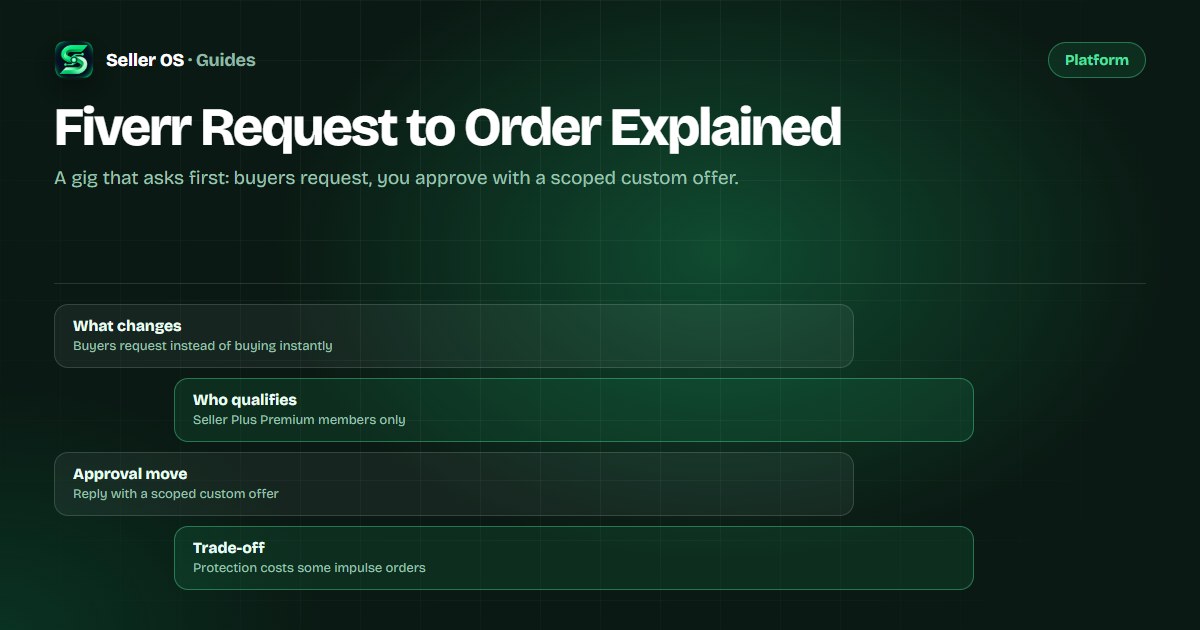
What Request to Order changes for buyers
Request to Order changes the start of a transaction. Instead of a client buying the gig on the spot, they describe what they need and send a request that lands in your queue for review. Fiverr's help center describes the shift plainly: the order process moves from automatic acceptance to manual review.
For the buyer, the purchase path becomes a request path on the gigs where you enabled the setting. For you, every incoming order begins as a decision: approve by sending a custom offer, ask a clarifying question, or decline. Nothing starts until both sides act.
Who can enable it and where the settings live
Fiverr's help center states the feature is exclusive to Seller Plus Premium members. On that tier, the switch lives under Advanced Settings in Order settings, where you enable Request to Order, choose the audience, select the gig packages it covers, and set the active days and hours in your time zone.
Per-gig control is the point of the design. Fiverr says you can enable or disable Request to Order for each gig individually and edit the settings at any time, so a high-risk service can require approval while a fixed-price gig stays instantly bookable.
Because the tool sits inside a paid membership, judge it next to the rest of the tier: first-time client promotions, seller coupons, and a $5 monthly credit toward Fiverr Ads all come with Seller Plus. If you already pay for Premium, the fair question is which of those tools earns its place in your week.
Open Order settings
the Request to Order toggle lives under Advanced Settings.
Choose the audience
first-time clients only, or all clients.
Select the packages
pick which gigs the request flow covers.
Set active days and hours
the window runs in your time zone.
Save the settings
revisit them whenever your capacity changes.
How approval turns a request into an order
Approving is not a button that releases the original purchase. Fiverr's help center says that to approve a request, you send the client a custom offer based on their chosen package or their specific requirements. The offer carries the price, delivery time, revisions, and an optional expiration date, and the order starts when the client accepts.
That step is where the value sits. You scope the work in fields clients already understand, adjust the price to what the brief actually needs, and give the decision a deadline with the expiration field. If the brief is thin, ask a question first; a request you cannot scope is not ready to become an order.
The field limits come from the custom offer system, which Fiverr documents on the custom offers page: $5 to $20,000, delivery from 1 to 90 days, and zero to 20 revisions or unlimited. Check the offer against the request before you send it, because acceptance turns every field into a commitment.
When the approval step earns its keep
Custom scope with real risk. A buyer wants a five-page site audit plus fixes, while the gig describes a four-page audit. Without approval, the order arrives at the wrong scope and the negotiation happens after the clock starts. With approval, you match the offer to the brief before anyone commits.
First-time buyers on high-ticket gigs. When one order is a meaningful share of your month, the request gives you one honest look at the brief, the buyer, and what they are asking for before you promise a date. A short question costs minutes; a mismatched order can cost a week.
Limited availability windows. If you sell two slots a week or take complex work in batches, active hours let the gig accept requests only when you can start soon. Overnight requests wait for your window instead of setting a deadline while you sleep.
When the extra step costs you orders
Friction has a price. Impulse buyers who want the standard package today do not always fill a request and wait. Fiverr's FAQ notes an asymmetry worth understanding: declined requests do not affect your cancellation rate, but visits to your gig page that do not convert into orders might impact your metrics negatively. The declined request is safe; the hesitation around the gate is not free.
Run your own numbers before enabling it everywhere. Suppose a gig gets 200 visits in a month and produces 10 orders (hypothetical, based on your own baseline). If the approval step turns two of those buyers away and the requests you do receive convert at the same price, you traded two orders for vetting you may not have needed.
There is a response cost too. A request left unanswered for a day is a buyer browsing your competitors, and Fiverr publishes no expiry window for how long a request waits. Treat the queue like your inbox: check it on a schedule you can actually keep.
Mistakes sellers make with Request to Order
The first mistake is enabling it everywhere and forgetting the audience setting. If you meant to vet first-time clients only but selected all clients, repeat buyers who could have ordered in two clicks now need your approval, and some will not bother.
The second is setting active hours wider than your real schedule. The window is a promise about when you are around; an always-on setting with slow responses delivers the friction without the protection.
The third is approving with a bare offer. If the request says the work is needed by Friday and your offer's delivery date lands Monday, you have created a cancellation risk. Scope, date, and price should answer the request you actually received, and a quick question is cheaper than a revision you never promised.
Where Seller OS helps
Seller OS lives where requests arrive: the inbox. Order-message drafts and reply drafts are built from the conversation and your local client records, so a request gets a specific, scoped response instead of a template. The record keeps what a client asked for last time, which matters more on approval-based gigs than on instant ones.
Pricing context keeps the approval step consistent. The pricing review keeps profit assumptions and recently applied prices in view, so an offer built from a request does not quietly drift below your floor. It drafts and organizes; you approve, send, and decide every promise.

Fiverr Request to Order Explained questions
Who can use Request to Order on Fiverr?
Fiverr's help center states the feature is exclusive to Seller Plus Premium members, and you enable it per gig under Advanced Settings in Order settings. Within that, you choose whether it applies to first-time clients or all clients, which packages it covers, and the days and hours it is active.
What happens when I decline a request?
Declining does not affect your cancellation rate, per Fiverr's FAQ. Fiverr does note that gig visits which do not convert into orders might impact your metrics negatively, so decline deliberately and keep the conversation open when the brief is close. You can also reply with a question or a revised custom offer instead of a flat no.
Can repeat clients skip the request step?
Fiverr's client-facing help notes that repeat clients may be able to place orders directly without sending a Request to Order, as may clients who have already received a custom offer from you. The approval gate mostly applies to new relationships, which is the audience to choose when vetting is the goal.
How do I approve a Request to Order?
You send the client a custom offer based on their chosen package or their specific requirements, per Fiverr's help center. Set price, delivery time, revisions, and an optional expiration, then the client accepts and the order starts. If the brief is unclear, ask a question before sending anything.
Approve orders without losing the good ones
Scope first, offer second, and a response time you can keep.